QRVault helps businesses attach QR codes to assets, panels, equipment, and project areas so staff and contractors can instantly access controlled information, upload records, and keep documentation organised.
Each QR code opens a dedicated storage space where owners manage files, administrators retain oversight, and public users can be given read-only or controlled upload access.
Why businesses use QRVault
- Instant document access in the field from a QR label or panel tag
- Safer maintenance and commissioning with current records on hand
- Simple upload workflows for photos, manuals, reports, and certificates
- Professional presentation for customers, technicians, and auditors

Field-ready documentation
Place QR codes where the work happens so staff can quickly view drawings, operating instructions, or job records without chasing paperwork.

Fast asset access
Technicians can scan an equipment QR code and immediately reach the right storage space for photos, check sheets, manuals, and maintenance updates.
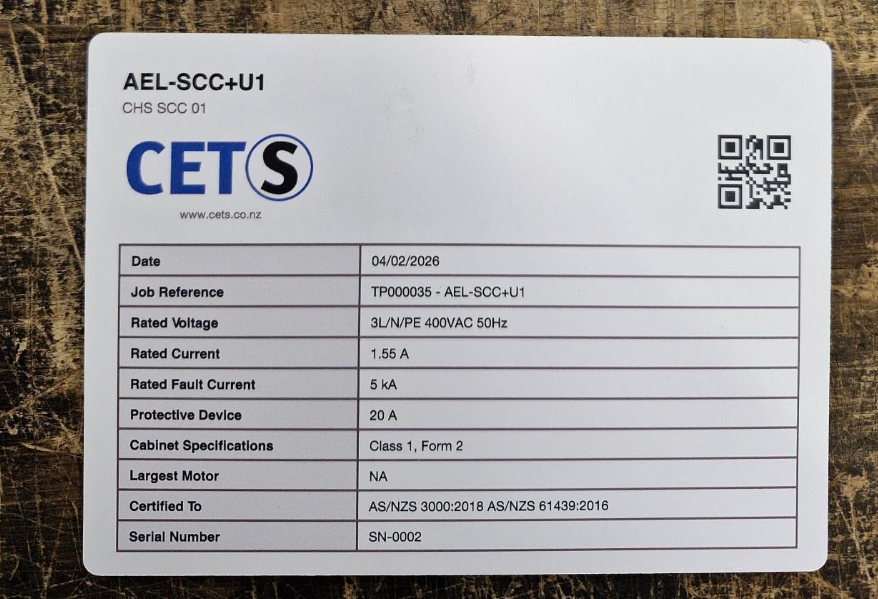
Professional branded labels
Use QR-enabled labels and nameplates to create a tidy, professional handover while keeping technical information linked to the exact asset.
Choose a plan
Basic is suited to smaller jobs, Medium covers larger teams, and Advanced supports heavier use with custom expansion available.
Basic Plan
Basic Plan - This plan contains the basic features of QRVault. Users can create Vaults that can store files. Typical use cases for this plan include asset management such as a storage location on an electrical cabinet that contains the latest drawings for the cabinet. It may also be used for storage of site information such as site rules, induction information, SOP's for equipment. H&S Policies etc. 15 spaces total. Each Space is limited to a maximum of 200Mb's
- Read-only public file list
- Owner and platform admin upload control
- Database-backed management
Medium
This plan expands on the basic plan but has increased storage space and features per QRVault. With a 50 QRVaults available a maximum storage space per vault of 500Mb's and the OnSite Feature clients can use QRVaults for asset management, Site Sign in and Sign out for personnel. Purchasable Nameplate generation for generic and industry specific nameplates and more.
- Read-only public file list
- Owner and platform admin upload control
- Database-backed management
Advanced
Full access plan - QRVaults have a maximum storage space of 1GB. Full features and Applications are available for this plan. This allow clients to streamline workflows by utilizing linked QRVaults so that toolbox talks and task lists can be linked to users present on site. Greatly increasing efficiency of site and project managers to automate tasks such as timesheets and daily toolbox talks. This plan allows for site specific management and reporting statistics while providing the basic functions of QRVault at an increased capacity. Flexible growth and grouping per site.
- Read-only public file list
- Owner and platform admin upload control
- Database-backed management
What customers are saying
Example feedback for now, showing how QRVault can be presented with customer reviews and star ratings.
“We used QRVault on our site equipment and handover packs. It made manuals, photos, and records much easier to find in the field.”
“The branded QR labels look professional, and the folder permissions are ideal for keeping uploads controlled.”
“Being able to send a shareable QR link to contractors has saved us a lot of time. It is clean and simple to manage.”